
Plot navigation points
Add points to the Lambert chart and practise laying out a route between them.
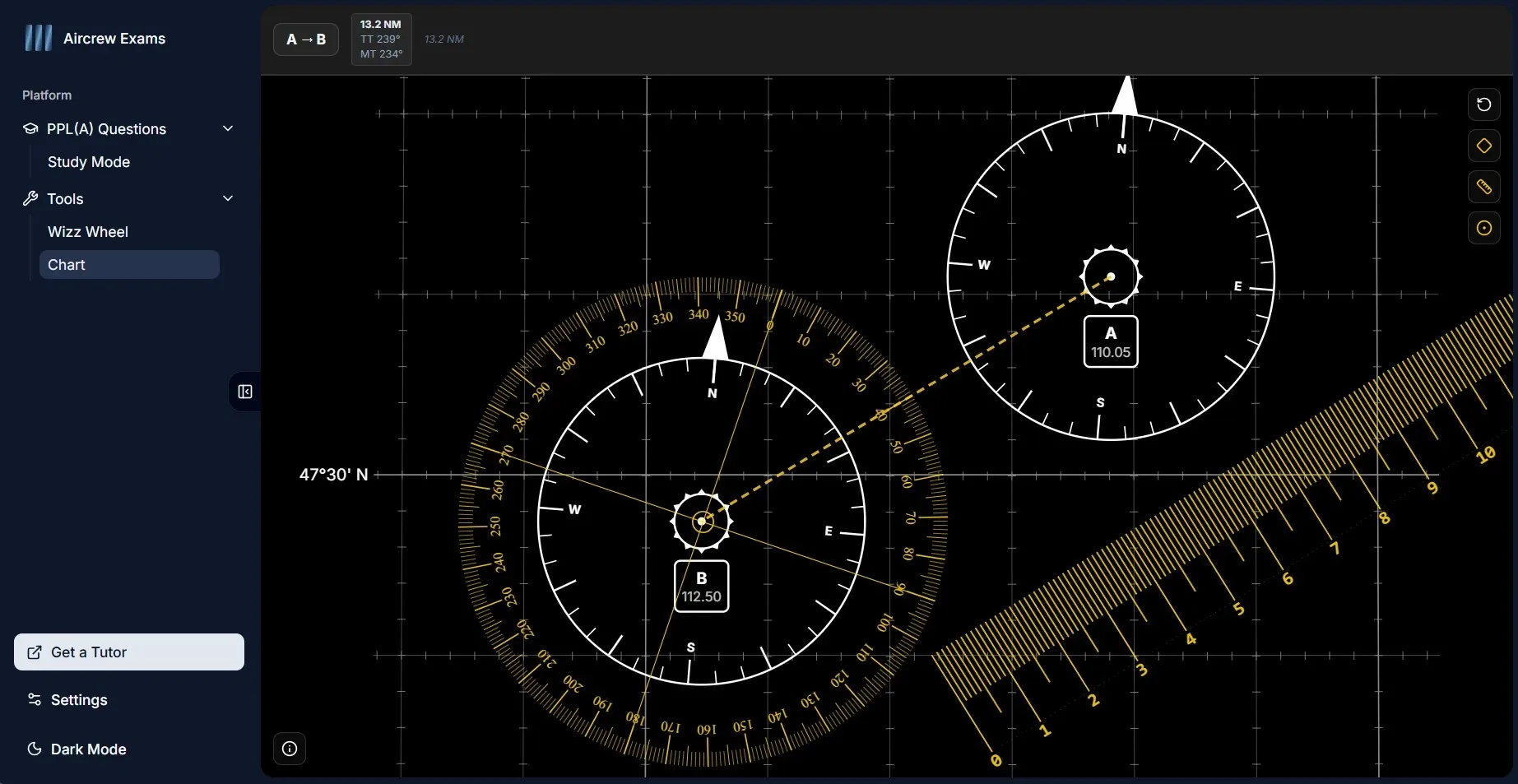
Learn practical chart-work skills with the free Nav Plotter, an interactive Lambert chart simulator for student pilots. Use the on-screen protractor and ruler to plot navigation points, measure distances and tracks, and practise applying variation.
It is designed for PPL and CPL exam revision: practise the steps at your own pace, check how track direction and distance are measured on a chart, and repeat the exercise until the process feels familiar.
Plot navigation points
Add points to the Lambert chart and practise laying out a route between them.
Measure track and distance
Use the virtual protractor and ruler to measure a route’s direction and distance on the chart.
Work with variation
Practise the relationship between chart tracks and magnetic direction by applying variation.